Geek, techie, skeptic, drummer, feminist.
30303 stories
·
9 followers

You scroll past these comics to escape stress, but on the other side, creators a...

1 Share


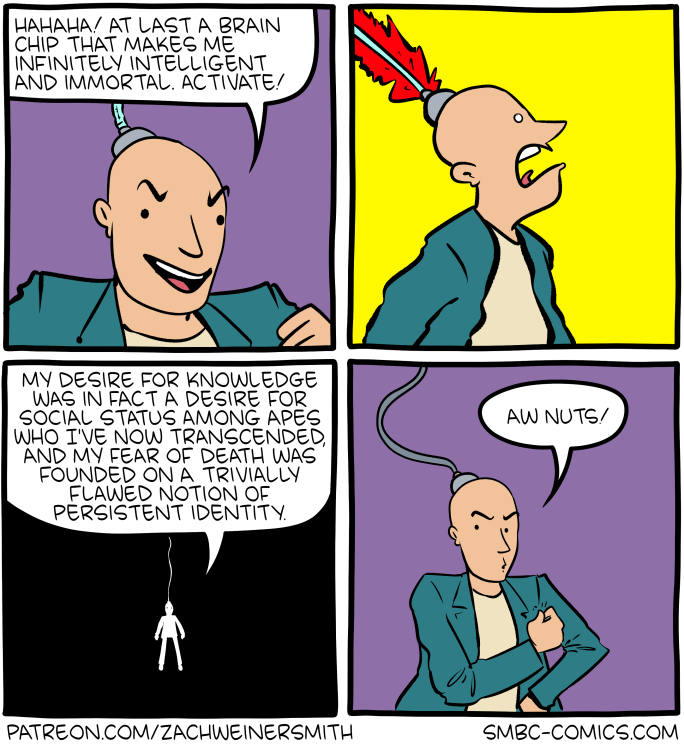
You scroll past these comics to escape stress, but on the other side, creators are drowning in it. Platforms profit from our work, but we see none of it.

Patreon is the difference between creating out of love and creating out of desperation.

If you’ve ever laughed, smiled, or felt less alone because of our comics, know this: Your support means the world to us.

Thank you for being part of the story and helping us keep creating what we love.

Read the whole story
ameel
10 hours ago
reply
Melbourne, Australia
Share this story
Delete

It doesn’t matter if it works

1 Share

There are about a thousand and one debates about the ecology of AI, the ethics of AI, the governance of AI. As the technology advances, the debate with the slipperiest footing is on the actual efficacy of AI: does this work for this application? Or for this one? Ultimately, whether LLMs “work” as a technology or not doesn’t matter. The function of a system is its output, and no matter what utility individuals find in the tech, the widespread adoption and deployment should be considered and regarded firstly as a threat to the labor force.

To illustrate, we’ll consider a few scenarios.

This is a short preface to a larger piece I’m working on called The Threat, which covers AI mandates at work, harm reduction in the use of LLMs, and long-term strategies as industries expand their adoption of this technology.

AI works

O, great miracle — the tech advances! It will soon be as good or better per dollar than its human equivalent. Under the current economic system, there exists no incentive for corporations to keep those human equivalents employed. Humans necessitate sticky conversations about benefits, work hours, protections, and accountability that AI frankly does not. What happens to those jobs?

AI proponents often compare the advent of the tech to the Industrial Revolution — many jobs were lost as industries were completely refactored and destroyed by these technologies, like we expect AI to, they say, but as you can clearly see, humans are still here, working now in different or differently-shaped industries. Those jobs are considered unfortunate collateral in a necessary technological reshuffling of the labor market.

But the buried lede of the Industrial Revolution comparison is that the revolution didn’t simply exchange some jobs for others. It developed a new capitalist system of labor de-skilling. De-skilling extracts the knowledge of design, craft, and mastery from high-skill workers and replaces those craftsperson type roles with new types of less-skilled and more-specialized roles. Those increasingly specific roles, in increasingly complex systems, meant that the average level of wide conceptual understanding of each worker was reduced, resulting in concentrated power of the managerial class.

As the average skill level of a worker goes down, the easier it becomes for capitalists to control a labor force. If a worker can be easily replaced, there is no justification to pay that worker high wages, or ultimately to keep that worker employed.

In this future where LLMs really are the be-all end-all many techno-optimists purport them to be, they will expand to wider and wider industries. Benefitting from narrowed and more specific job requirements, they will capture more roles, automate and de-skill more industries, and result in a widespread lowering of wages, job security, and employment.

And while those tech leaders on the optimistic far end of the axis pretend to believe this will open doors for some utopia where mankind does not work, it is plain to see the dishonesty of this when looking at how those tech leaders treat humans of any class lower than theirs, be it in their brutal mass layoffs of white collar workers, or the criminalization of homeless folks.

AI doesn’t work

The second scenario is that AI is not nearly as effective or useful in replacing labor as it is lauded to be. In this scenario, the explanation for these mass layoffs by Amazon, Atlassian, Autodesk, Block, Cisco, Coinbase, Dell, Dropbox, Fiverr, Goldman Sachs, Google, Grammarly, HP, IBM, Intel, Intuit, Klarna, Meta, Microsoft, Nike, Oracle, PayPal, Pinterest, Salesforce, TikTok, UPS, Unity, YouTube, et al, is that AI is merely the foil by which companies can cover up all manner of business failings or strategies.

The problem now is that, because there are scant worker protections (especially in the US), the onus to prove any claims about AI efficiencies does not exist. Businesses are enabled to use the magic spectre of AI to justify an any% RIF and spin great successes out of their operational failures.

However, while this is likely at least a contributor to the layoffs sweeping the technology and finance industries, it does not account for the massive scale of the cuts we’re seeing in this industry. Instead, these cuts must be lensed by class. Whether they mean to or not, owners of capital have exceptional class solidarity, because they have the shared goal of reducing the cost of labor. This, then, explains mass layoffs attributed to a technology like LLMs, regardless of actual LLM “productivity gains”: If the technology causing all the layoffs does not actually replace workers, then the workers will need to be rehired. Herein likes the rub — if large portions of the workforce have just spent 6 months or a year searching for jobs in an extremely employer-favored labor market, workers will take what work is available, and as a result wages, role quality, and benefits will nosedive.

The material outcomes

Both of these scenarios result in the same outcome: reduced worker solidarity, reduced worker skill, and reduced worker wages. AI/LLMs are the perfect tool for the capitalist because it doesn’t matter if it works; it threatens the workforce either way.

There exists precedent for this type of threat in the practice of “offshoring”, where companies move work to markets with cheaper labor and make layoffs in more expensive markets. Whether or not this move is useful can obviously vary widely as there are many variables to offshoring, but that companies consider it a tool, that it can happen at any time to large groups of workers is its functional impact.

Furthermore, because it weakens the local labor market and the bargaining power of labor, offshoring, like AI, creates an incentive for companies to position workers to be more easily replaced, through de-skilling and other strategies.

Eat the frame

The widespread deployment of AI/LLMs constitutes an existential threat to labor whether or not it is an adept move by the adoptive industries. Thus it is essential for workers to stop asking whether or not AI works and start asking who ultimately benefits from its deployment.

The answer to that question is capitalists, who have a persistent vested interest in weakening the labor market. Consequently it is imperative for workers to join forces in defense of their work, whether or not they are optimistic about LLMs as a technology. If a functional future of AI is realized, labor must be strong enough to withstand its seismic effects. If the brilliant AI future never dawns, labor must be strong enough to survive the ramifications of all of these companies making existential threats.

This means of course both bargaining for protections against successful widespread automation of the workforce, but protection against widespread automation as pretext.

Throughout history, workers have proven that when they stand together, they take control of their fate and the fate of their industries. You deserve a tech union.

Read the whole story
ameel
10 hours ago
reply
Melbourne, Australia
Share this story
Delete

Recent Things

1 Share
Read the whole story
ameel
10 hours ago
reply
Melbourne, Australia
Share this story
Delete

LibreOffice Writer, Microsoft Word and Images

1 Share
I use two apps in Microsoft Office: Word and Excel. I have been moving away from relying on Office and using LibreOffice instead. The switch from Excel to Calc was easy. But, I use Word more than I do Excel for my daily journaling and when I had tried to switch over to Writer I had to switch back to Word because I couldn’t figure out how to manage images in Writer.
Read the whole story
ameel
10 hours ago
reply
Melbourne, Australia
Share this story
Delete

Saturday Morning Breakfast Cereal - Milgram

1 Share


Click here to go see the bonus panel!

Hovertext:
Come across this while reading Melanie Mitchell's delightful book, Complexity - A Guided Tour.


Today's News:
Read the whole story
ameel
2 days ago
reply
Melbourne, Australia
Share this story
Delete

My Proton Settings

1 Share

Many people think that Proton Mail search is broken. But the real reason you can’t find the things that you’re looking for is because Proton can’t read your encrypted inbox -- and you haven’t toggled on the privacy-first setting that would allow you to locally search your emails.

It’s a simple fix that you might not have even known existed.

In this article, I’ll explain how to turn that on. I’ll also explain the difference between Proton search on desktop and on mobile, and I’ll go through a bunch of other Proton Mail privacy settings that I change in my own account. Sometimes when you use new privacy tools, there are lots of little tips that many people take for granted, that a new user doesn’t know about. So hopefully this article is a good starting point if you’re about to take the plunge and move away from your old email to something more private. Video tutorial below if preferred:

Turn THIS On Now

Search

When you search for an email in Proton Mail you may find that it’s not super effective, and is not actually finding the keywords you’re searching for. This is because Proton encrypts their database with zero access encryption, meaning that they can’t get access to the contents of your email, or search those contents on their servers. The only thing that they can search are things like the to and from field, and the subject line.

Here is the setting you need to change so that your search feature actually works properly: In the web app, when you go to the search bar, you must enable “Search message content”. What this does is download a local index of your emails which is stored in your browser’s web storage, and this index allows you to search the contents of your messages locally.

How it works behind the scenes:

Each message is fetched from the server. Then Proton locally decrypts the message using your private key. The plaintext of the message is cleaned of any HTML markups, as those aren’t relevant to the search functionality. Then, because Proton doesn’t want to leave a giant pile of readable email sitting on your computer, it locks that local search index again, this time with faster symmetric encryption, using your browser’s own encryption tools. The encrypted search index is then stored locally in your browser’s IndexedDB database.

Now when you perform a content search, Proton searches this local index, and the search is run on your own machine instead of Proton’s servers. Creating this index can take quite a while, depending on how large your inbox is, but once it’s set up, it will keep updating the index automatically.

The way they have this set up, your query isn’t leaking when searching, the set of results isn’t leaked either, the server can’t learn the contents of your emails, and if your local device is compromised after it’s shut down, an attacker shouldn’t be able to learn the contents or metadata of emails.

If you ever want to delete this index from your browser, you can go to settings, and click “clear browsing data” at the very bottom.

Mobile search note:
Now it’s worth noting that on mobile, you can’t yet search message content, only the subject and to and from fields. So if you’re hunting for something specific, you’d best use your computer.

Import

Next is my favorite toggle of all. The import button. Some people don’t want to switch email providers because it seems too daunting. In Proton there is a single button that you can click to import your entire email history, contact list, and calendar from Google, Outlook, or whatever else you’re using.

This button makes switching emails crazy easy. And Proton even helps you set up auto forwarding, so that everything from your existing email gets sent straight to your new Proton inbox.

Image Privacy Settings

Now, let’s lock down Proton’s image privacy settings. Images in email can leak more than people realize. To show remote images, for example, your email app has to contact outside servers and download those images from there. That request can leak information like when you opened the email, your IP address, or device information. That’s how tracking pixels work, and you might not even be able to see these tiny images in your email.

If you go to settings, and then “all settings”. Then to email privacy, you can see that an option labelled “Block email tracking” is on by default.

This blocks known tracking pixels, and Proton will preload other remote images through its own proxy, using a generic IP address and geolocation.

When this protection is on, automatically loading remote images is much safer.

But nevertheless I like to turn off the automatic loading of remote images.

So in that same section, I disable “Auto show remote images”. This makes image loading a deliberate choice instead of being automatic.

Now go to “messages and composing” and disable “Auto show embedded images”.

Embedded images are usually included inside the email itself rather than pulled from an outside server, but disabling auto-load still gives you more control over what renders when you open a message. It’s a more cautious setting for people who don’t want their inbox automatically displaying every image someone sends them.

In the same “Message and composing” section, under composing, enable “Remove image metadata”. Photos can carry hidden EXIF metadata, including location, timestamps, and device details, which can reveal far more than the picture itself. Enabling metadata removal helps strip this digital exhaust before you send image attachments.

Next under “Other preferences” disable “Show sender images”. Sender images are the little brand icons next to messages, and Proton fetches these in a privacy-preserving way through anonymous server requests. But I still disable them because it reduces unnecessary visual noise.

Other Settings

Under account and password, click Add 2FA to your Proton Mail account. This adds a second lock to your account, so even if someone steals your password, they still need your authenticator app or security key to get in. I recommend using a security key as your 2FA option, and Proton will ask you to add an authenticator app as a backup.

Then under Security and privacy, turn off “Collect usage diagnostics” and “Send crash reports”. Usage diagnostics are anonymous, and some Proton documentation describes crash reports as anonymous too, but I still turn both off because they’re extra telemetry leaving my device. This is a personal preference: you may want to help Proton fix bugs, or you may prefer the more data-minimal setting.

Under messages and composing I like to turn on Proton Scribe writing assistant. Scribe helps proofread or adjust your emails, which I find useful, especially if I don’t want to copy sensitive emails into some random AI tool. Instead Proton is privacy-first, and even allows you to run it entirely on your device.

To do this, toggle on “Run on device”. This makes Scribe download and run a local language model on your own device, so your prompt never leaves your computer. One tradeoff to be aware of is that local mode has hardware requirements and may be slower.

Under Security and privacy I also turn on “Enable Dark Web Monitoring”. This alerts you if personal information tied to your Proton address or Proton Pass aliases shows up in breach data or dark web sources. It’s an early-warning system so you can change passwords, rotate aliases, and limit the damage before things get uglier.

And when I check my emails, I default to always checking the “All Mail” tab on the left instead of only looking in the inbox. This also shows me messages that landed in other folders in my account, as well as sent messages, so that I don’t miss anything.

Quick warning:
Not every Proton setting syncs across devices. Account-level protections like 2FA and Dark Web Monitoring follow your account, but local settings like content search and tracker protection may need to be checked on each device. So if you access your email via the phone app for example, you’ll want to check that you have the right settings on there also.

Final Thoughts

Proton Mail is already a huge step up in privacy from most mainstream email providers, and hopefully these settings will be helpful for you when you switch over.

Proton is just one of the privacy-preserving email providers out there, so if you have a favorite email provider that we should check out in our upcoming video comparing the most private email options, let us know in the comments.

Yours In Privacy,
Naomi

Consider supporting our nonprofit so that we can fund more research into the surveillance baked into our everyday tech. We want to educate as many people as possible about what’s going on, and help write a better future. Visit LudlowInstitute.org/donate to set up a monthly, tax-deductible donation.

NBTV. Because Privacy Matters.

Privacc.org


Read the whole story
ameel
3 days ago
reply
Melbourne, Australia
Share this story
Delete
Next Page of Stories